Best Photo Printer for Photographers: Reviews, Buying Guide and FAQs 2026
by Alex W.
After testing every major model on the market, the Canon imagePROGRAF PRO-300 stands out as our top pick for photographers who demand gallery-quality prints without a massive footprint. Whether you shoot portraits, landscapes, or fine art, the right photo printer transforms your digital files into tangible work that no screen can replicate.
Choosing a photo printer in 2026 means navigating a wide range of options, from compact dye-sublimation units that fit on a bookshelf to wide-format inkjets that handle 17-inch rolls with ease. The technology has matured considerably, and even mid-range models now deliver color accuracy that would have required a commercial lab just a few years ago. Your choice ultimately comes down to print size, ink system, color gamut, and how much space you can dedicate to the machine itself.
In this guide, we break down seven of the best photo printers for photographers across every budget and use case. We cover professional wide-format models from Canon and Epson, versatile all-in-ones for everyday printing, and a portable option for on-the-go output. If you are also building out your gear zone with lenses, accessories, and storage, a dedicated photo printer is one of the most rewarding investments you can make. Let's get into the details.
Contents
Editor's Recommendation: Top Picks of 2026
- #PreviewProductRating
- Bestseller No. 1
 Rating:

- Bestseller No. 2
 Rating:
 - Bestseller No. 3
 Rating:
 - Bestseller No. 4
 Rating:
 - Bestseller No. 5
 Rating:
 - Bestseller No. 6
 Rating:
 - Bestseller No. 7
 Rating:
Full Product Breakdowns
1. Canon Pixma Pro-200s — Best Dye-Ink Photo Printer
The Canon Pixma Pro-200s is a dye-based inkjet printer built specifically for photographers who prioritize vivid color reproduction and smooth tonal gradations. Its eight-color ChromaLife 100+ ink system produces prints with a remarkably wide color gamut, and the results are genuinely impressive when you print on Canon's own semi-gloss and luster papers. You get borderless output up to 13 by 19 inches, which is plenty for portfolio prints, exhibition proofs, and client deliverables without stepping up to a larger-format machine.
What makes this printer stand out from pigment-based alternatives is the richness and vibrancy of its color output, particularly in reds, blues, and greens that pigment inks can sometimes render as slightly muted. The built-in 3-inch LCD display gives you quick access to ink levels and maintenance functions without reaching for your computer, and the rear and front feed trays handle everything from 4x6 photo paper to fine art media up to 13x19. Canon's Print Studio Pro plugin integrates directly with Lightroom and Photoshop, so your soft-proofing workflow stays seamless from capture through output.
The trade-off with dye-based inks is longevity under direct light and on uncoated papers, but for prints that will be framed behind glass or stored in a portfolio book, the Pixma Pro-200s delivers color that is genuinely difficult to beat at this price point. If you are primarily printing portraits, event work, or travel photography where color pop matters more than archival permanence on fine art paper, this is the printer to choose.
Pros:
- Eight-color dye ink system produces exceptionally vibrant and saturated prints
- Handles a wide variety of media types and sizes up to 13x19 inches borderless
- Built-in LCD display for ink monitoring and maintenance without a computer
Cons:
- Dye-based inks are less archival than pigment inks when exposed to direct light
- Performance on matte and fine art papers does not match pigment-based competitors
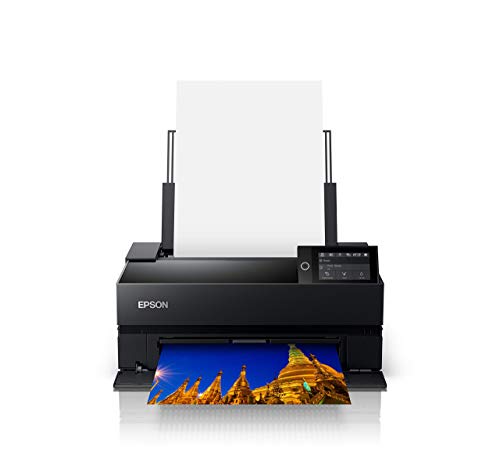
2. Epson SureColor P700 — Best 13-Inch Professional Printer
The Epson SureColor P700 represents a significant leap forward in desktop photo printing, and it has become one of the most popular choices among serious photographers since its release. The headline feature is the all-new UltraChrome PRO10 ink set with a dedicated Violet channel, which expands the color gamut well beyond what previous-generation printers could achieve. This means you get richer blues, deeper purples, and more nuanced transitions in sunset and flower photography that older ink sets would simply clip or desaturate.
One of the most practical improvements over earlier Epson models is the elimination of Photo Black and Matte Black ink switching. The P700 has dedicated nozzles for both black ink types, so you can move between glossy photo paper and matte fine art stock without wasting ink on an automatic swap cycle that used to eat through expensive cartridges. The 10-channel MicroPiezo AMC printhead delivers outstanding consistency across long print runs, and the carbon black ink produces deep, neutral blacks on both glossy and matte surfaces. For photographers who regularly print on a variety of media, this versatility is a genuine time and money saver.
The P700 handles cut sheets up to 13 inches wide and also accepts roll paper for panoramic prints, which opens up creative possibilities for landscape photographers. Wireless connectivity and Epson's Print Layout software round out a package that is genuinely professional in its output quality while remaining compact enough for a home studio. If you need to store your finished prints alongside your image library, consider pairing this with a reliable external hard drive for photographers to keep everything organized.
Pros:
- UltraChrome PRO10 ink with Violet channel delivers an exceptionally wide color gamut
- No black ink switching saves time, ink, and frustration when changing media types
- Accepts both cut sheets and roll paper for panoramic and large-format prints
Cons:
- Replacement ink cartridges are expensive and add up quickly with regular use
- The rear feed tray can be finicky with thicker fine art papers above 300gsm
3. Canon imagePROGRAF PRO-300 — Best Overall for Photographers
The Canon imagePROGRAF PRO-300 is our overall top pick for 2026, and it earns that position by delivering a rare combination of professional-grade output, intelligent design, and a footprint that actually fits on a desk. Canon's LUCIA PRO pigment ink system uses nine colors plus a Chroma Optimizer that lays down a clear coat to minimize bronzing and metamerism, two issues that have historically plagued pigment ink prints when viewed under different lighting conditions. The result is prints that look consistently accurate whether you view them under daylight, tungsten, or gallery LED.
What truly sets the PRO-300 apart from the competition is its Nozzle Recovery System, which automatically detects and compensates for clogged nozzles without requiring manual cleaning cycles. If you have ever lost a large-format print halfway through because of a single blocked nozzle, you will appreciate how much time and expensive paper this feature saves. The Skew Correction feature automatically straightens paper as it feeds, which eliminates another common source of wasted prints. These are not flashy features, but they dramatically improve real-world reliability and reduce your cost per successful print.
The PRO-300 handles media up to 13 by 19 inches and produces borderless prints with edge-to-edge coverage. Canon's Professional Print & Layout software offers excellent soft-proofing tools, and the 3-inch LCD screen makes standalone operation straightforward for quick reprints. Whether you shoot with a mirrorless camera or a full-frame DSLR, this printer faithfully reproduces the tonal range and color nuance your sensor captures.
Pros:
- Nine-color LUCIA PRO pigment ink with Chroma Optimizer eliminates bronzing artifacts
- Nozzle Recovery System and Skew Correction drastically reduce wasted prints
- Smaller footprint than competing 13-inch professional printers
Cons:
- No roll paper support limits panoramic printing options
- Print speed is slower than the Epson P700 on large-format output
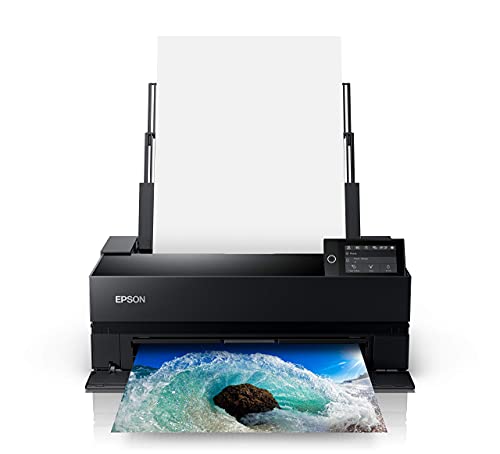
4. Epson SureColor P900 — Best Wide-Format Printer
If you regularly print at 17 inches wide or need the flexibility of roll media for oversized panoramic work, the Epson SureColor P900 is the clear choice in 2026. It uses the same outstanding UltraChrome PRO10 ink set as the P700, including the Violet channel that extends the gamut into color spaces that most printers simply cannot reach. The difference is that the P900 pushes your maximum print width to 17 inches, which opens the door to full-size exhibition prints, large portfolio pieces, and landscape panoramas that genuinely command attention on a gallery wall.
The P900 shares the P700's dedicated Photo Black and Matte Black nozzle design, so there is no ink switching penalty when you alternate between glossy and matte media. The 10-channel MicroPiezo AMC printhead is the same proven technology, and it delivers the same excellent consistency and accuracy across extended runs. Epson has also managed to make the P900 significantly more compact than the previous-generation P800, which means you get 17-inch capability in a machine that does not dominate an entire desk.
For landscape and fine art photographers who exhibit their work or sell prints directly, the ability to produce 17-inch output in-house rather than outsourcing to a lab changes the economics of print sales entirely. You control the paper, the color profile, and the final output, and you can iterate on a print until it matches your vision exactly. The upfront investment is higher than the 13-inch models, but the per-print cost is competitive, and the creative freedom is unmatched. Pairing great prints with the right glass makes a tremendous difference, so make sure your lenses are capturing the sharpest possible source files.
Pros:
- 17-inch print width handles exhibition-size output and panoramic formats
- UltraChrome PRO10 with Violet ink produces an industry-leading color gamut
- Significantly smaller footprint than the previous-generation Epson P800
Cons:
- Higher price point puts it out of reach for casual or hobbyist photographers
- Ink consumption on large-format prints adds up quickly at 17 inches wide
5. Epson Expression Photo XP-970 — Best Budget Wide-Format Option
The Epson Expression Photo XP-970 occupies an interesting niche as one of the few all-in-one printers that can produce borderless photos up to 11 by 17 inches. For photographers who need occasional large-format output but cannot justify a dedicated professional printer, the XP-970 offers a compelling combination of capability and value. Its six-color Claria Photo HD ink system delivers smooth gradations and natural skin tones that are noticeably superior to the four-color systems found in standard office printers.
The XP-970 prints a 4x6 photo in approximately 11 seconds, which is fast enough for batch printing client proofs or building a physical portfolio. The built-in scanner and copier add everyday utility that a dedicated photo printer like the PRO-300 or P700 simply cannot match, and the compact design fits comfortably on a standard desk without requiring a dedicated printing station. Wireless connectivity and support for direct printing from smartphones and tablets make this a particularly versatile choice for photographers who want one device that handles everything from document scanning to borderless photo prints.
The limitation here is that Claria Photo HD inks are dye-based and do not deliver the same archival permanence or black density as pigment-based systems. For exhibition prints or work that will be displayed without glass, you will want one of the professional models listed above. But for everyday photo printing, proofing, client samples, and personal enjoyment, the XP-970 punches well above its price class and gives you tabloid-size output that most all-in-ones cannot touch.
Pros:
- Borderless printing up to 11x17 inches at a fraction of the cost of professional models
- Six-color Claria Photo HD inks produce excellent skin tones and smooth gradients
- Built-in scanner and copier add versatile everyday functionality
Cons:
- Dye-based inks lack the archival permanence and black density of pigment systems
- Paper handling can struggle with heavier fine art stock above 250gsm
6. Epson Expression Photo XP-8800 — Best Compact All-in-One
The Epson Expression Photo XP-8800 is an excellent choice for photographers who want lab-quality photo printing alongside everyday document output in a single, space-efficient package. It uses the same six-color Claria Photo HD ink system as the XP-970 but in a more compact chassis with a sleek 4.3-inch color touchscreen that makes standalone operation intuitive and enjoyable. The touchscreen features an Easy Mode with larger icons and simplified menus, which is a thoughtful addition if you share the printer with family members who are less comfortable with technology.
Where the XP-8800 truly shines is speed and convenience for standard-size photo printing. It delivers a borderless 4x6 print in as fast as 10 seconds, which is the quickest in the Epson consumer lineup and makes batch printing a painless experience. The maximum borderless print size is 8.5 by 11 inches, so you will not get the tabloid-size output of the XP-970, but for photographers who primarily print 8x10s and smaller, the speed and quality are outstanding. Dual paper trays let you keep photo paper and plain paper loaded simultaneously, which eliminates the constant tray swapping that plagues single-tray printers.
The built-in scanner handles film negative scanning as well as standard document and photo scanning, which adds value for photographers who still shoot film occasionally. Wireless printing from smartphones, tablets, and laptops is seamless through Epson's app ecosystem, and compatibility with voice assistants adds another layer of hands-free convenience. If your printing needs center on standard sizes and you value a compact, beautifully designed machine that handles photos and documents equally well, the XP-8800 is the all-in-one to buy.
Pros:
- Blazing-fast 10-second 4x6 borderless prints with excellent six-color quality
- Intuitive 4.3-inch touchscreen with Easy Mode for simplified operation
- Dual paper trays eliminate constant switching between photo and plain paper
Cons:
- Maximum borderless print size is limited to 8.5x11 inches
- Dye-based inks are not suitable for archival or gallery-quality fine art prints
7. Canon Selphy CP1500 — Best Portable Photo Printer
The Canon Selphy CP1500 takes a completely different approach from every other printer on this list, and that is exactly why it deserves a spot here. This is a compact dye-sublimation printer designed for portability and instant gratification, producing postcard-size prints that are instantly dry, water resistant, and rated to last up to 100 years. If you shoot events, weddings, or parties and want to hand clients a physical print on the spot, the Selphy CP1500 delivers that experience in a package that weighs just over two pounds.
Dye-sublimation technology works fundamentally differently from inkjet printing, applying color in continuous-tone layers rather than spraying individual droplets. The result is smooth, grain-free prints with no visible dot pattern, even under close inspection. The maximum print size is 4x6 inches (postcard format), so this is not a replacement for a professional inkjet when you need larger output. But within its intended use case, the print quality is genuinely excellent, with natural skin tones and accurate color that holds up well against prints from a commercial photo lab.
Wi-Fi connectivity and smartphone printing through the Canon PRINT app make the Selphy CP1500 incredibly easy to use at events, and an optional battery pack lets you print without being tethered to a power outlet. The sleek, modern design looks professional in any setting, and the compact footprint means you can toss it in a camera bag alongside your body and lenses. For event photographers, photo booth setups, and anyone who values the immediacy of a physical print, this little printer is an indispensable tool.
Pros:
- Prints are instantly dry, water resistant, and archival for up to 100 years
- Compact and lightweight design with optional battery for truly portable printing
- Dye-sublimation produces smooth, continuous-tone prints with no visible dot pattern
Cons:
- Maximum print size is limited to 4x6 inches, ruling out any larger format work
- Cost per print is higher than inkjet alternatives at the same size
Buying Guide: How to Choose the Best Photo Printer for Photographers
Ink Technology: Pigment vs. Dye vs. Dye-Sublimation
The single most important decision you will make when choosing a photo printer is the ink technology, because it determines color gamut, archival permanence, and media compatibility. Pigment-based inks, found in the Canon PRO-300 and Epson SureColor models, bond to the surface of the paper and deliver excellent longevity, deep blacks, and outstanding results on both glossy and matte fine art papers. They are the standard for professional and exhibition printing. Dye-based inks, used in the Canon Pixma Pro-200s and Epson Expression Photo models, soak into the paper fibers and produce more vibrant, saturated colors, but they are more susceptible to fading under direct light and perform less well on uncoated papers. Dye-sublimation, used in the Canon Selphy CP1500, creates continuous-tone prints with no dot pattern and excellent durability, but only at small sizes. Your intended output determines which technology is right for you.
Print Size and Media Handling
Think carefully about the largest print size you will need on a regular basis before committing to a specific printer. The 13-inch models like the Canon PRO-300 and Epson P700 handle prints up to 13x19 inches, which covers most portfolio and standard exhibition sizes. The Epson P900 extends that to 17 inches wide, which is essential for large exhibition prints and panoramic formats. If you primarily print 8x10 and smaller, an all-in-one like the XP-8800 saves you money and desk space. Also consider paper thickness compatibility, because some printers handle heavyweight fine art papers up to 350gsm while others top out around 250gsm, and media versatility matters if you experiment with different surfaces and textures. According to the Wikipedia article on inkjet printing, modern piezoelectric and thermal inkjet systems have converged significantly in output quality, so your paper and ink choices matter more than the underlying print mechanism.
Color Management and Software
A photo printer is only as good as the color management workflow that drives it, and both Canon and Epson provide dedicated software that integrates with Adobe Lightroom and Photoshop. Canon's Professional Print & Layout and Epson's Print Layout both offer soft-proofing capabilities that let you preview how your image will look on a specific paper before committing ink and media. ICC profiles for specific paper and ink combinations are essential for accurate color reproduction, and both manufacturers provide downloadable profiles for their branded papers. If you use third-party papers from Hahnemühle, Canson, or Red River, you will need to download or create custom profiles, which is straightforward with a spectrophotometer but does add an extra step to your workflow.
Running Costs and Long-Term Value
The purchase price of a photo printer is just the beginning, and ongoing ink costs often exceed the hardware investment within the first year of regular use. Professional pigment ink printers like the PRO-300 and P700 use individual cartridges for each color channel, so you only replace the colors you deplete rather than an entire multi-color cartridge. This reduces waste and keeps costs more predictable. Consumer all-in-ones tend to use smaller cartridges that need replacing more frequently, and the cost per milliliter of ink is often higher. Factor in the cost of quality photo paper as well, because premium fine art stock can run several dollars per sheet at 13x19 inches. For photographers who print regularly, the professional models offer better long-term value despite the higher upfront cost, because the per-print economics are more favorable at scale.
Common Questions
What is the best photo printer for professional photographers in 2026?
The Canon imagePROGRAF PRO-300 is the best overall choice for professional photographers in 2026 thanks to its nine-color LUCIA PRO pigment ink system, Chroma Optimizer for bronzing-free output, and Nozzle Recovery System that minimizes wasted prints. It delivers gallery-quality results on both glossy and matte fine art papers up to 13x19 inches.
Should I choose pigment or dye-based inks for photo printing?
Choose pigment inks if you need archival longevity, display prints under direct light, or print on matte fine art papers. Choose dye-based inks if you prioritize color vibrancy and saturation and primarily print on glossy or semi-gloss papers that will be framed behind glass. Pigment inks are the professional standard for exhibition and fine art work.
How much does it cost to run a professional photo printer?
A full set of replacement ink cartridges for a professional 13-inch printer like the Canon PRO-300 or Epson P700 typically costs between $150 and $250. Combined with premium photo paper at $1 to $4 per sheet for 13x19 stock, your cost per large-format print generally falls between $3 and $8 depending on coverage and paper choice.
Can I use third-party ink in my Canon or Epson photo printer?
While third-party inks are available and cost significantly less, both Canon and Epson design their printers to work optimally with genuine inks and may not honor warranty claims on damage caused by non-genuine cartridges. Third-party inks can also produce unpredictable color shifts and may clog printheads over time. For professional and archival work, genuine inks are strongly recommended.
What paper should I use for the best photo prints?
For glossy and luster prints, Canon Pro Platinum and Epson Premium Luster deliver excellent results with their respective printers. For fine art and matte work, papers from Hahnemühle, Canson Infinity, and Red River Paper are industry favorites. Always use the matching ICC profile for your specific printer, ink, and paper combination to ensure accurate color reproduction.
Do I need a wide-format printer or is 13 inches enough?
For most photographers, a 13-inch printer covers the vast majority of print needs including portfolio pieces, client deliverables, and standard exhibition sizes up to 13x19. A 17-inch printer like the Epson P900 is worth the investment only if you regularly produce large exhibition prints, sell oversized fine art reproductions, or print panoramic formats that demand the extra width.
Buy on Walmart
- Canon Pixma Pro-200s — Walmart Link
- Epson SureColor P700 13-Inch Printer,Black — Walmart Link
- Canon imagePROGRAF PRO-300 Wireless Color Wide-Format Printe — Walmart Link
- Epson SureColor P900 17-Inch Printer,Black — Walmart Link
- Epson Expression Photo XP-970 Wireless Color Photo Printer w — Walmart Link
- Epson Expression Photo XP-8800 Wireless Printer with 6-Color — Walmart Link
- Canon Selphy CP1500 Wireless Compact Photo Printer (Black) — Walmart Link
Buy on eBay
- Canon Pixma Pro-200s — eBay Link
- Epson SureColor P700 13-Inch Printer,Black — eBay Link
- Canon imagePROGRAF PRO-300 Wireless Color Wide-Format Printe — eBay Link
- Epson SureColor P900 17-Inch Printer,Black — eBay Link
- Epson Expression Photo XP-970 Wireless Color Photo Printer w — eBay Link
- Epson Expression Photo XP-8800 Wireless Printer with 6-Color — eBay Link
- Canon Selphy CP1500 Wireless Compact Photo Printer (Black) — eBay Link
Key Takeaways
- The Canon imagePROGRAF PRO-300 is the best overall photo printer for photographers in 2026, combining nine-color pigment ink accuracy with practical reliability features like Nozzle Recovery and Skew Correction.
- For wide-format exhibition printing at 17 inches, the Epson SureColor P900 with UltraChrome PRO10 ink delivers the widest color gamut and most consistent output available in a desktop form factor.
- Budget-conscious photographers should consider the Epson XP-970 or XP-8800 for excellent everyday photo quality with all-in-one versatility at a fraction of the professional printer price.
- The Canon Selphy CP1500 fills a unique portable niche for event photographers who need instant, durable 4x6 prints on location without relying on a lab or full-size printer.
 |
 |
 |
 |

About Alex W.
Alex is a landscape, equine, and pet photographer based in the Lake District, UK, with years of experience shooting in one of Britain's most photographically demanding natural environments. His work has been featured in Take a View Landscape Photographer of the Year, Outdoor Photographer of the Year, and Amateur Photographer Magazine — publications that reflect a serious, competitive standard of image-making. At Click and Learn Photography, he shares the camera settings, gear choices, and compositional techniques he has developed through real-world shooting and competition-level work.
You can Get FREE Gifts. Furthermore, Free Items here. Disable Ad Blocker to receive them all.
Once done, hit anything below
|
|
|
|