Fujifilm GFX100 Review: 100MP Medium Format Camera for Under $10,000
by Alex W.
Our team spent three months shooting with the Fujifilm GFX100 medium format camera across landscapes, studio portraits, and commercial product work — and the files it produces still stop us in our tracks. When Fujifilm packed 102 megapixels into a body with phase-detection autofocus and in-body image stabilization, it fundamentally changed what medium format could do outside a studio. For anyone exploring serious gear upgrades, this camera deserves a hard look. Here's everything our team has learned from extensive hands-on use.
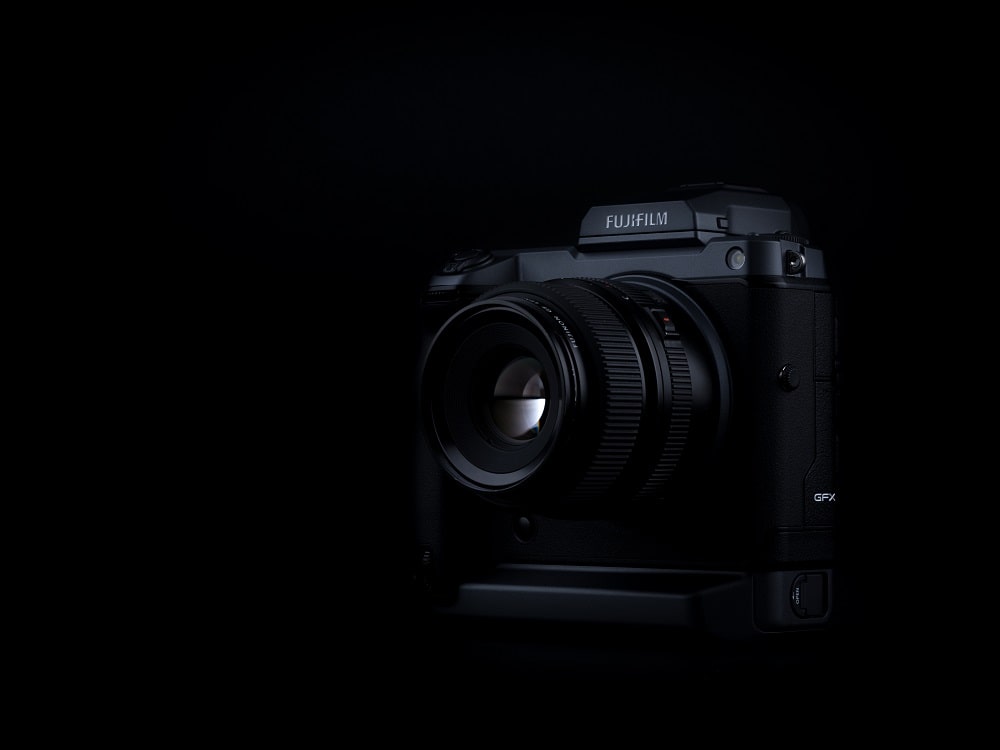
The GFX100 sits in a unique position. It delivers resolution that rivals digital backs costing three or four times as much, yet it handles like an oversized mirrorless camera. The 43.8 x 32.9mm sensor captures a staggering level of detail — enough to crop aggressively and still produce print-worthy files. Our experience confirms this is not a niche novelty; it's a legitimate workhorse for professionals who need maximum image quality.
That said, medium format comes with trade-offs. The body is large, the lens ecosystem is smaller than full-frame systems, and the learning curve is real. This review breaks down exactly where the GFX100 shines, where it struggles, and how to get the most from it in practical shooting scenarios.
Contents
Getting Started with the Fujifilm GFX100
Essential First Settings
Right out of the box, a few configuration changes make an enormous difference. Our team recommends this initial setup checklist:
- Set image quality to RAW + Fine JPEG — the JPEGs serve as quick previews, while the 16-bit RAW files preserve the sensor's full dynamic range
- Switch the card slot mode to Sequential (Slot 1 → Slot 2) rather than Backup for maximum capacity
- Enable IBIS (in-body image stabilization) and set it to the correct focal length when using adapted lenses
- Assign the rear command dial to ISO for quick adjustments without menu diving
- Set the EVF refresh rate to 60fps for smoother live view
Pro tip: Save two custom profiles — one for handheld work with Auto ISO (max 6400) and one for tripod use with base ISO 100 and IBIS disabled. Switching between them takes one dial click.
Handling a Larger Body
The GFX100 weighs roughly 1,400g with battery. That's substantially heavier than most full-frame mirrorless bodies. A few adaptations help:
- Use a proper camera strap with padding — sling-style straps distribute weight better than neck straps
- Invest in an L-bracket for quick portrait/landscape orientation switches on a tripod
- The detachable EVF is a genuine advantage for low-angle work; keeping it attached adds stability for handheld shooting
A quality tripod is non-negotiable for maximizing what this sensor can resolve. Our team relies on sturdy options like the Vanguard Veo 2 for travel work, though heavier studio tripods are preferable when weight isn't a constraint.
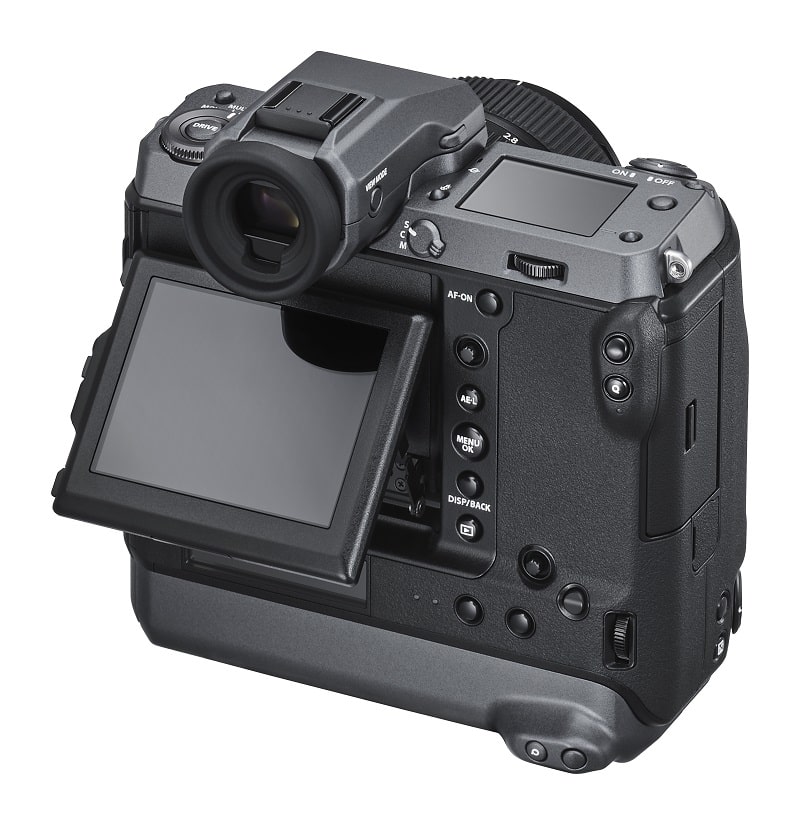
GFX100 Settings That Make an Immediate Difference
Autofocus Configuration
The GFX100's phase-detection AF covers nearly 100% of the frame — a first for medium format. To get the most from it:
- Use Single Point AF for studio and landscape work where precision matters most
- Switch to Zone AF for moving subjects — it's not sports-camera fast, but it tracks reliably at moderate speeds
- Enable Face/Eye Detection for portrait sessions; it locks onto eyes consistently at f/2.8 and narrower
- Set AF-C Custom to "Zone Area + Tracking" for any scenario involving movement
The autofocus is competent but not class-leading for action. Anyone needing to freeze fast motion is better served by a full-frame body. The GFX100's strength is precision over speed.
File Format and Color Depth
The 16-bit RAW files from this sensor contain extraordinary latitude. In our testing, we've pulled back highlights by 3+ stops and lifted shadows by 4 stops with minimal noise. The relationship between aperture and diffraction matters more on this sensor — visible softening begins around f/16, so most shooting happens between f/5.6 and f/11.
| Specification | Fujifilm GFX100 | Typical Full-Frame (45MP) | Typical APS-C (26MP) |
|---|---|---|---|
| Sensor Size | 43.8 x 32.9mm | 36 x 24mm | 23.5 x 15.6mm |
| Resolution | 102MP | 45MP | 26MP |
| Dynamic Range | ~14.7 EV | ~14.5 EV | ~13.5 EV |
| RAW File Size | ~200MB (16-bit) | ~90MB (14-bit) | ~50MB (14-bit) |
| IBIS | 5.5 stops | 5-6 stops | Varies |
| Diffraction Limit | ~f/11 | ~f/13 | ~f/9 |
| Weight (body) | 1,400g | ~650g | ~450g |
Where the Fujifilm GFX100 Medium Format Camera Excels
Landscape and Astrophotography
This is where the GFX100 truly earns its keep. The combination of resolution, dynamic range, and color depth produces landscape files with an almost three-dimensional quality. Details that disappear in smaller-sensor files — individual leaves, rock textures, water droplets — remain tack-sharp even in large prints.
For astrophotography, the larger sensor gathers more light per pixel despite the high megapixel count. Our team has captured clean Milky Way shots at ISO 3200 with manageable noise. The key considerations:
- Use the GF 23mm f/4 or GF 20-35mm f/4 for wide-field astro
- Pixel-level sharpness demands precise focus — use the EVF magnification at 100% and focus on a bright star
- The 500 Rule becomes roughly the "300 Rule" for medium format due to the higher pixel density
- IBIS should be disabled on a tripod to prevent micro-vibrations
Landscape photographers who want to dive deeper into specific scenes will find our complete guide to waterfall photography pairs well with the GFX100's ability to render flowing water with extraordinary detail.
Warning: At 102MP, even minor camera shake shows. Our team learned the hard way — always use a 2-second timer or remote release, even on a sturdy tripod. Mirror shock isn't a factor (mirrorless), but shutter shock at certain speeds can be.
Studio and Commercial Work
Commercial clients increasingly demand high-resolution deliverables for large-format printing and heavy cropping. The GFX100 delivers files that hold up on billboards. Key advantages for studio use:
- Tethered shooting via USB-C works reliably with Capture One (Fujifilm edition is free)
- The shallow depth of field at equivalent apertures creates a distinctive medium format "look" that full-frame struggles to replicate
- Fujifilm Film Simulations — particularly Eterna and Pro Neg Hi — provide excellent starting points for skin tones
- The medium format sensor's per-pixel light gathering produces cleaner gradients in product photography
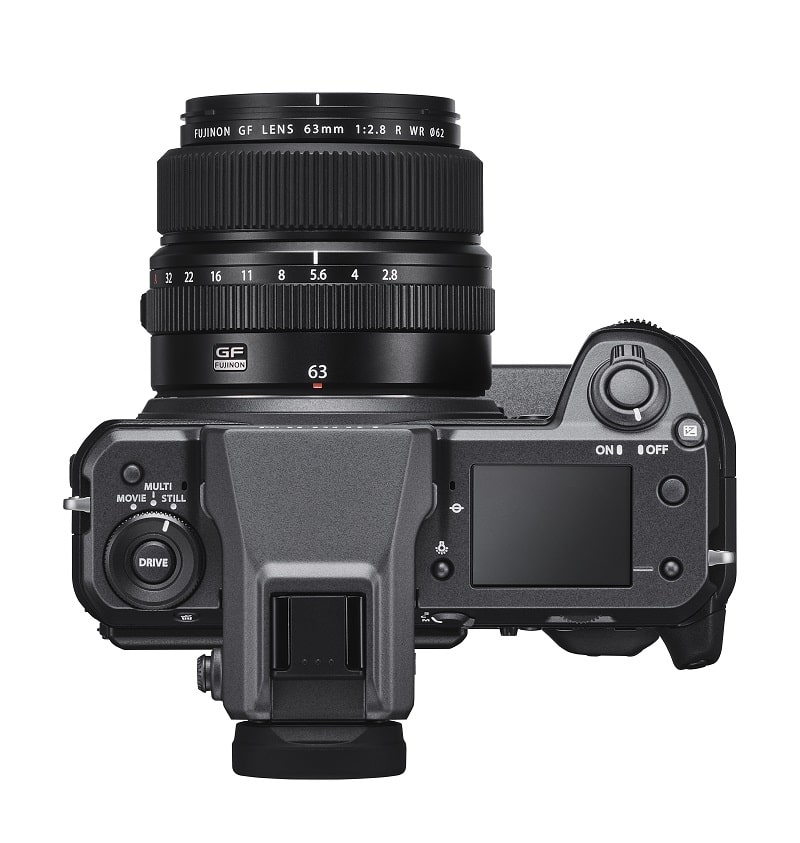
Common GFX100 Issues and How to Solve Them
Autofocus in Low Light
The GFX100's AF system hunts in very dim conditions — typically below -2 EV. When shooting in low light:
- Switch to Single Point AF (smallest area) to give the system a clear target
- Use the AF illuminator if the subject is within range
- Pre-focus using manual focus with EVF peaking when AF consistently fails
- Back-button focus prevents the camera from re-hunting when pressing the shutter
Firmware updates have improved AF performance significantly since launch. Our team always recommends keeping the firmware current — Fujifilm has been proactive about addressing AF responsiveness.
Managing Massive Files
A full day of shooting can easily generate 200GB+ of RAW files. This creates a genuine workflow challenge:
- Shoot to CFexpress (Slot A) for maximum write speed — UHS-II SD in Slot B works but buffers fill faster
- Use a fast external drive with at least 500MB/s read/write for transfers
- Lightroom Classic and Capture One both handle GFX100 files, but Capture One generally performs better with large medium format catalogs
- Smart Previews in Lightroom allow editing without loading full 200MB files
- Budget for storage — most GFX100 users find themselves needing 4TB+ of active working storage
Keeping the GFX100 in Peak Condition
Sensor and Lens Care
The larger sensor surface area means dust spots are more visible and cover more of the image. A disciplined cleaning routine is essential:
- Run the built-in sensor cleaning (vibration) before every shoot
- Use a rocket blower weekly — hold the camera mount-down so gravity assists
- Wet-clean the sensor with medium format-specific swabs (full-frame swabs are too narrow) every 2-3 months or when blowing fails
- Change lenses in sheltered areas with the camera powered off and body tilted down
Battery and Storage Best Practices
The GFX100 uses the NP-T125 battery. Rated at approximately 800 shots per charge (CIPA), real-world use with EVF and IBIS active typically yields 500-600 frames.
- Carry at least two spare batteries for a full day of shooting
- Store batteries at 40-60% charge in cool conditions for long-term storage
- The vertical grip integrates a second battery — the combined capacity handles most full-day commercial sessions
- USB-C charging works in a pinch but is slow; a dedicated charger is far more practical
Pro insight: Our team labels each battery with a small sticker and rotates them evenly. Lithium-ion cells degrade faster when consistently deep-cycled, so even rotation across three or four batteries extends the overall lifespan of the entire set.
Building a Medium Format System Around the GFX100
Lens Selection Strategy
The Fujifilm GF lens lineup has matured considerably. Rather than buying everything at once, our team recommends a phased approach:
- Start with the GF 32-64mm f/4 — it covers the equivalent of 25-51mm and handles landscapes, environmental portraits, and commercial work
- Add the GF 110mm f/2 for portraiture — it produces stunning subject separation with creamy bokeh
- The GF 23mm f/4 fills the ultra-wide gap for architecture and expansive landscapes
- Anyone interested in macro should consider the GF 120mm f/4 Macro — 102MP of detail on small subjects is extraordinary
Prime lens enthusiasts — and our team counts ourselves among them — will appreciate how the GF primes resolve. The reasoning behind choosing primes over zooms applies even more strongly at this resolution level, where lens quality differences are magnified.
Essential Accessories
Building a complete GFX100 kit requires some specific supporting gear:
- Memory: At least two CFexpress Type B cards (256GB minimum) — the write speed difference over SD is dramatic during burst shooting
- Tripod: Carbon fiber with a load capacity of 15kg+ to handle body, lens, and L-bracket
- Bag: The GFX100 with two lenses requires a bag with deeper compartments than most full-frame kits — a dedicated camera bag with customizable dividers is essential
- Monitor: A color-accurate display (100% sRGB minimum, AdobeRGB preferred) to actually see what this sensor captures
- Computer: 32GB RAM is the minimum for comfortable editing; 64GB makes a noticeable difference when working with layered composites
Final Thoughts
The Fujifilm GFX100 medium format camera delivers image quality that was genuinely unattainable at this price point just a few years ago. Our team considers it one of the most impactful tools available to photographers who need maximum resolution, dynamic range, and color depth — whether for commercial delivery, fine art printing, or landscape work that demands every ounce of detail. Head over to a Fujifilm dealer, request a hands-on demo with the GF 32-64mm kit lens, and shoot a few RAW files to process at home. The difference becomes undeniable the moment those 102-megapixel files appear on screen.
 |
 |
 |
 |

About Alex W.
Alex is a landscape, equine, and pet photographer based in the Lake District, UK, with years of experience shooting in one of Britain's most photographically demanding natural environments. His work has been featured in Take a View Landscape Photographer of the Year, Outdoor Photographer of the Year, and Amateur Photographer Magazine — publications that reflect a serious, competitive standard of image-making. At Click and Learn Photography, he shares the camera settings, gear choices, and compositional techniques he has developed through real-world shooting and competition-level work.
You can Get FREE Gifts. Furthermore, Free Items here. Disable Ad Blocker to receive them all.
Once done, hit anything below
|
|
|
|